PASSWORD PROMPT PROBLEM!

 Back to Home Page!

If you have the new version of internet explorer (Internet Explorer 7) and when you press on the orders link you cannot see the password pop up and the incorrect password page shows then you need to do the following to rectify this problem.

1. Open Internet Explorer 7
2. Go to tools - Internet Options.
3. Click on the security tab.
4. Select the internet zone, then click the custom level button.
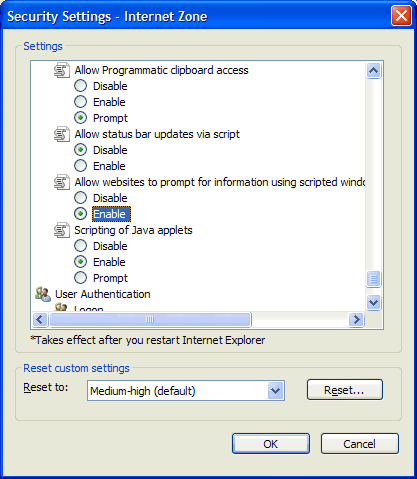
5. Scroll towards the bottom and tick the enable radio button labeled "Allow websites to prompt for information using scripted windows" and then click OK (see screen capture)


Back to Home Page!